
How to Delete or Reset a Twilio Number in GoHighLevel
Updated February 12, 2025
Twilio numbers in GoHighLevel can become misconfigured or need reassigning, leaving webhooks broken and calls unrouted. This guide walks you through deleting a Twilio number from a sub-account, preserving it in Twilio, and reattaching it to reset its webhook configuration.
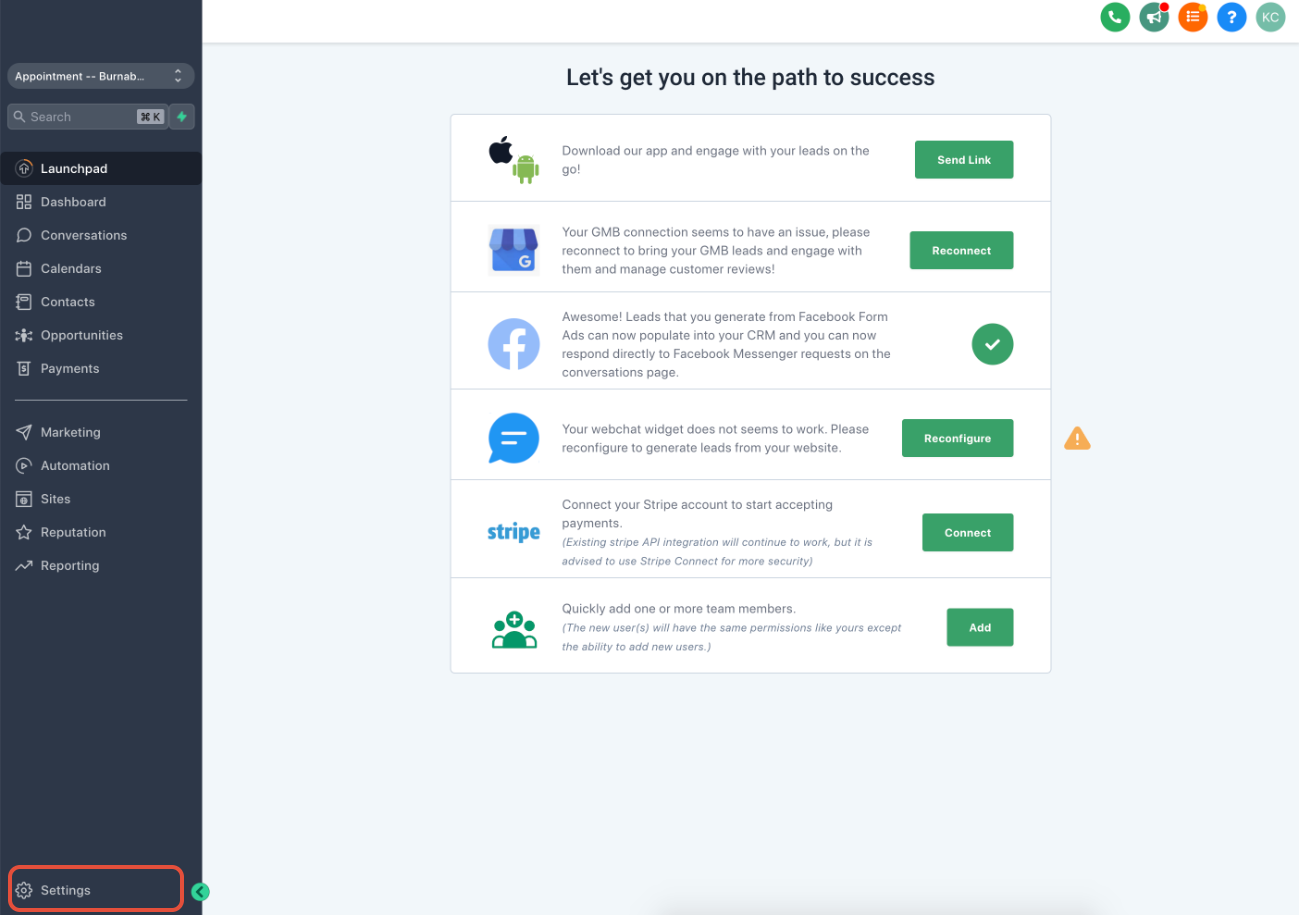
After entering the subaccount, navigate to the bottom left and click on Settings.
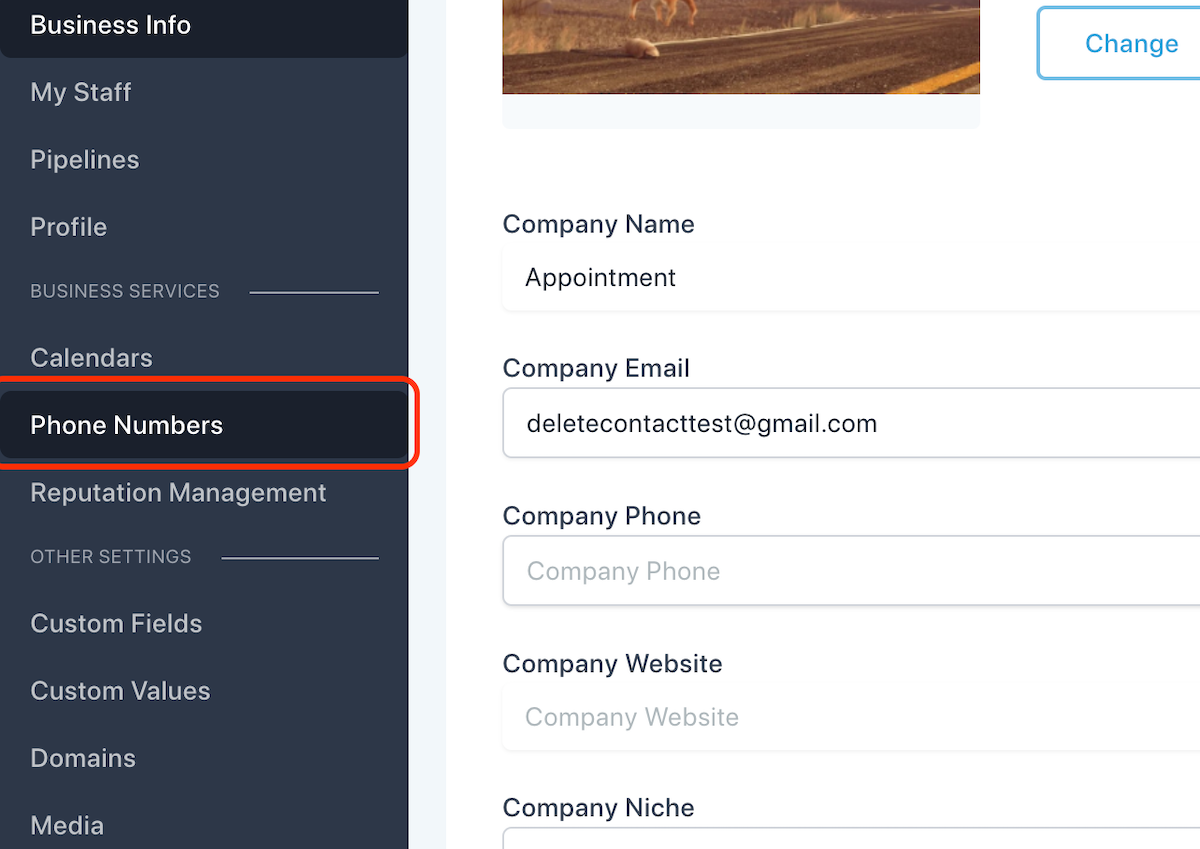
Click on Phone Numbers
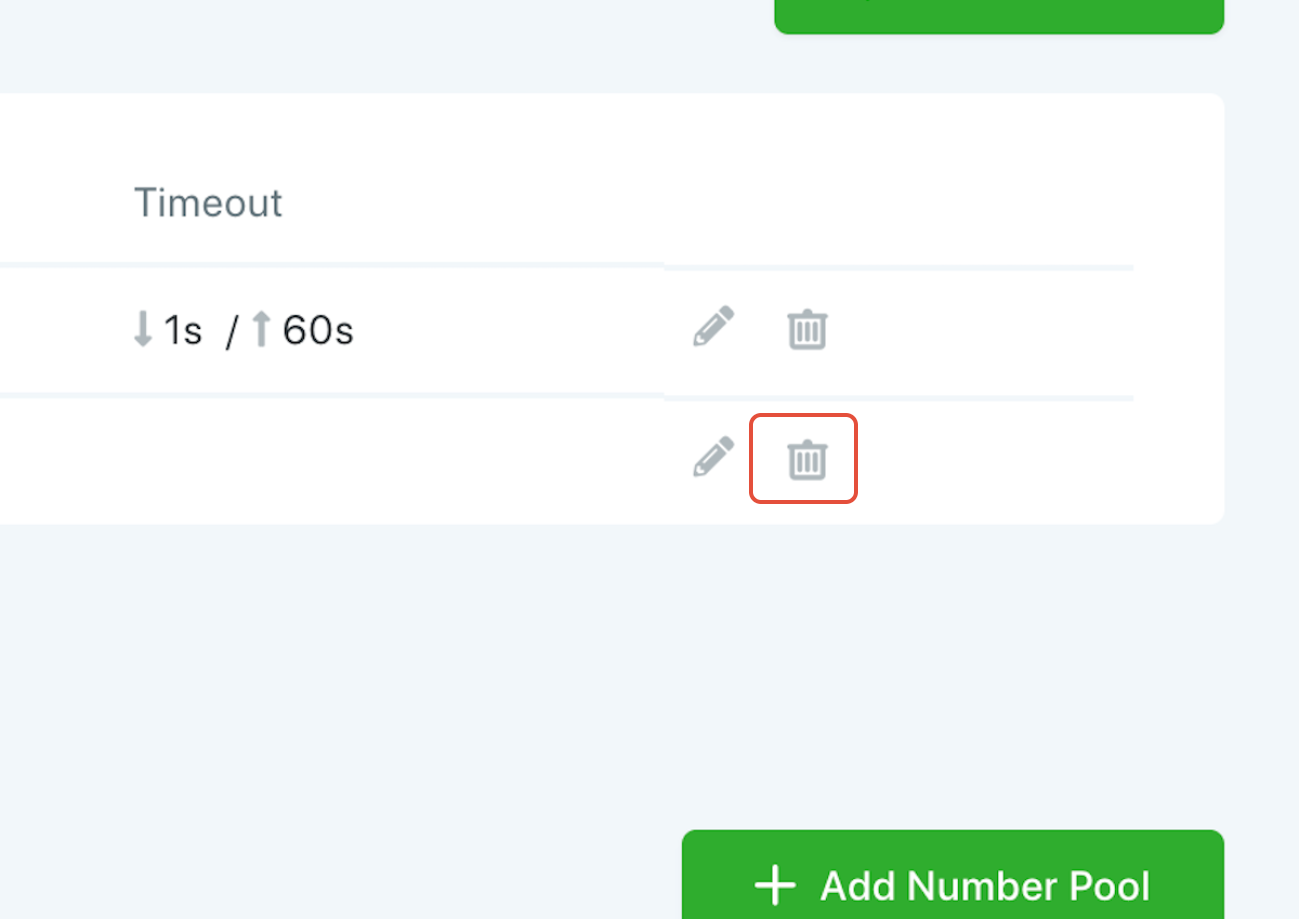
Click on the trash icon to remove the number
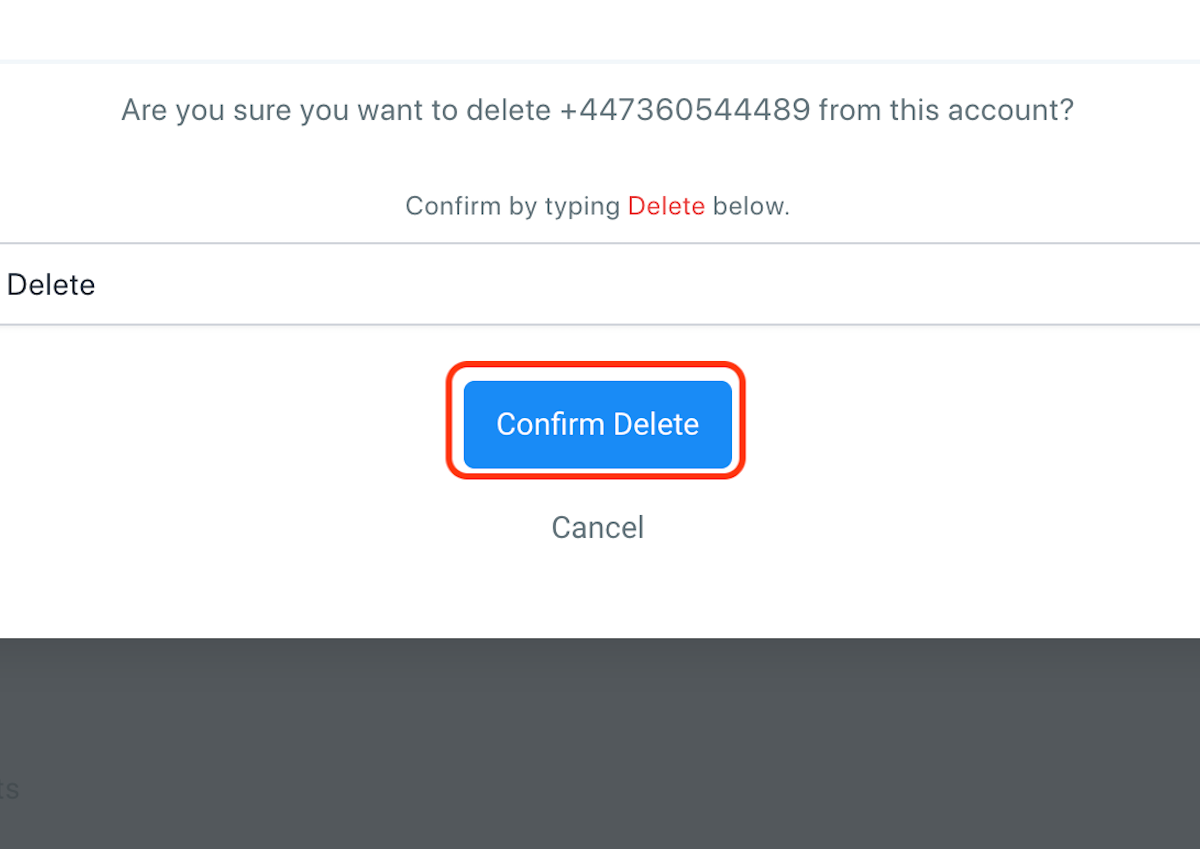
Once you confirm by typing Delete below, Click on Confirm Delete
If you’d like to retain or reset the Twilio number webhooks, select “NO” here to ensure the number remains in your Twilio sub-account.
Otherwise, confirm by typing Release below and click on Confirm Release.
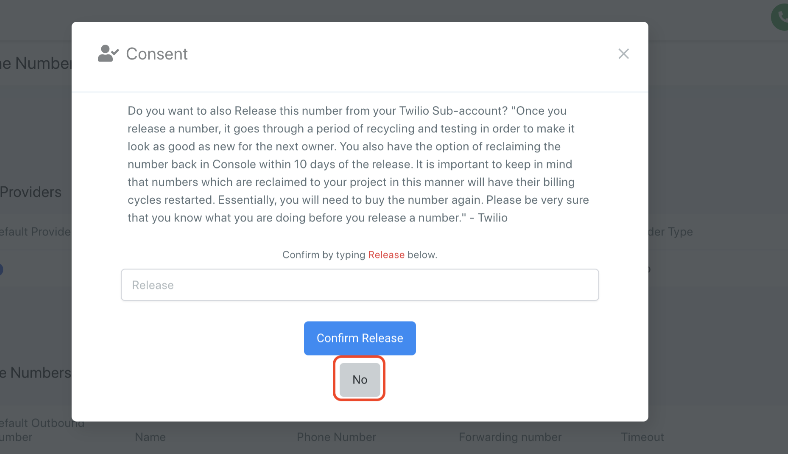
Once you click on NO,
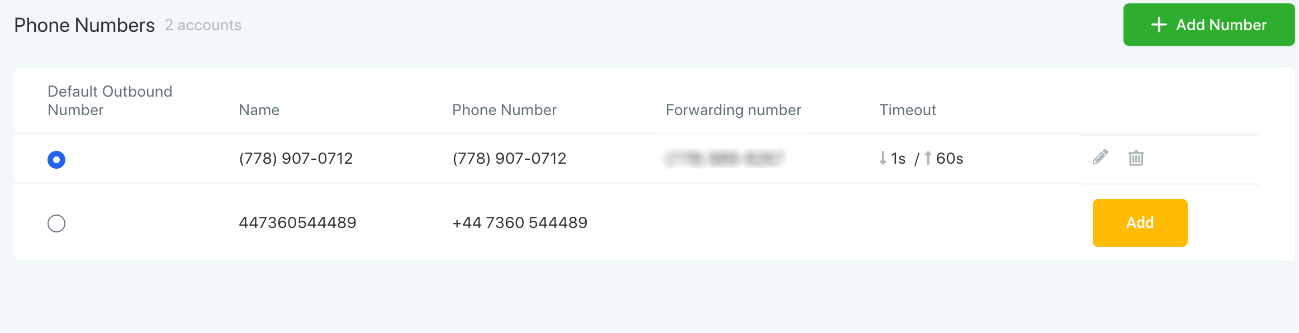
Click “Add” to reattach the Twilio number to the account, which resets its webhook.
Keep learning